
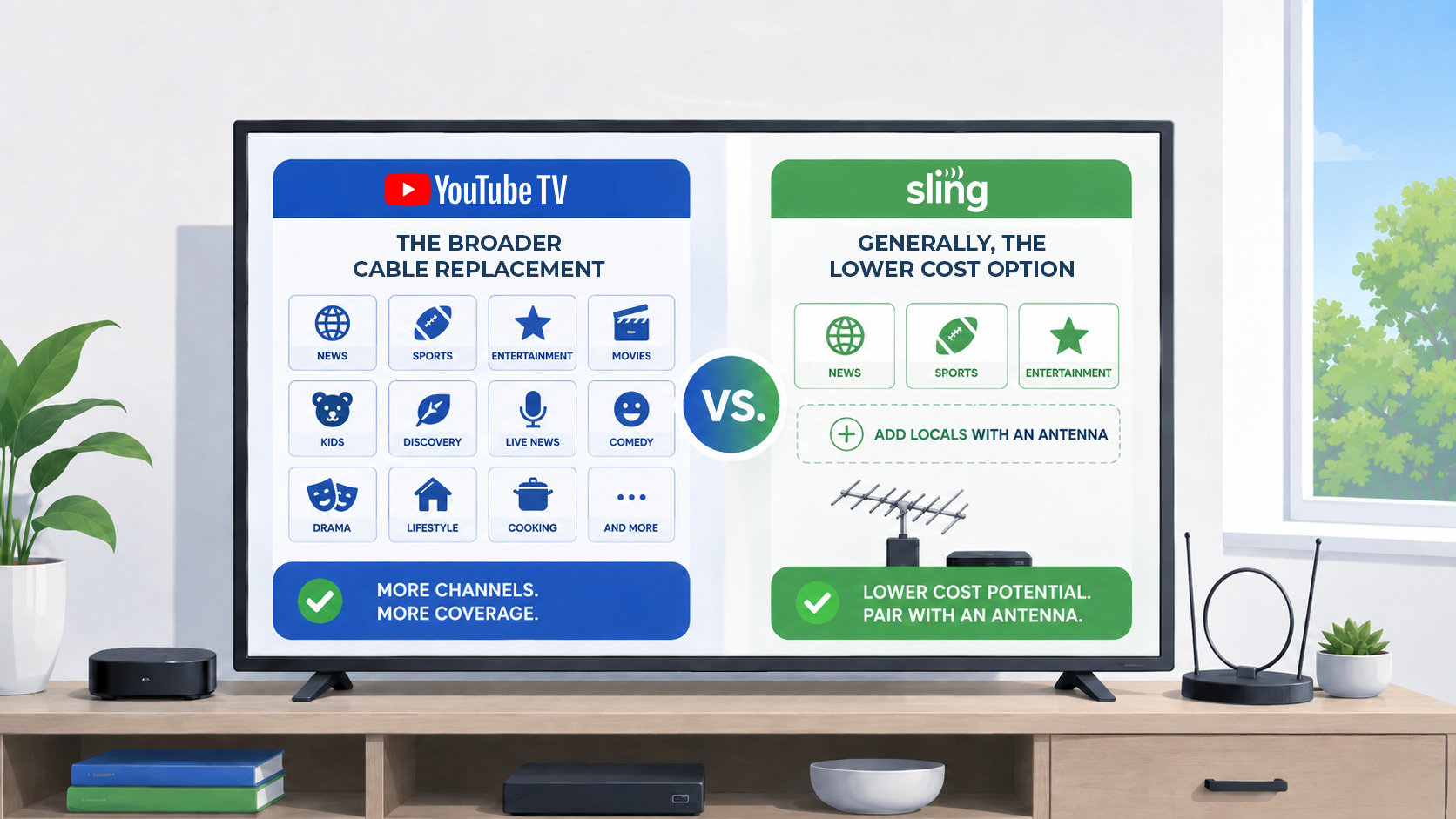
Choose the service category before the brand
| If you want... | Compare first | Main tradeoff |
|---|---|---|
| Lower monthly cost | Sling, Philo, antenna plus apps | May cover fewer live channels or locals. |
| Broad cable-like replacement | Hulu + Live TV, Fubo, DIRECTV Stream | Can still be expensive. |
| Local channels without a full live TV bundle | Antenna | Reception must work at your address. |
| Shows and movies more than channels | On-demand apps | Not the same as live cable networks. |
A lower advertised price is only useful if the option covers the channels, sports, locals, DVR features, and simultaneous viewing your household actually uses.
Start with what your household needs from live TV
A useful comparison begins with the job the service needs to do. A smaller live TV package may fit a short channel list, while a broad service may be worth the cost when several people need locals, news, entertainment, and sports in one interface.
Write down the live channels your household watches every week, the local stations you need, the sports you follow, and the number of simultaneous streams you use. Compare those requirements before looking at promotional pricing.
Live TV services at a glance
| Service | Estimated starting price | Compare it when... | Main tradeoff | Pricing checked |
|---|---|---|---|---|
| YouTube TV | $83/mo estimate | You want broad coverage, locals, sports, and a simple main plan | Higher cost than a targeted package | 2026-08-20 |
| Sling TV | $46/mo estimate | You want flexible packages and can inspect add-ons carefully | Locals, sports, and stream limits vary by plan | 2026-08-20 |
| Hulu + Live TV | $90/mo estimate | You value a broad live lineup plus Hulu's bundled library | Bundle value depends on whether you use the included services | 2026-08-20 |
| Fubo | $85/mo estimate | Sports and broad local coverage are priorities | Regional fees and missing channels can change the fit | 2026-08-20 |
| DIRECTV Stream | $90/mo estimate | You need cable-like plan depth or certain regional sports networks | The useful package may be one of the more expensive options | 2026-08-20 |
| Philo | $25/mo estimate | You mainly need entertainment and lifestyle channels | No local broadcast channels or broad sports lineup | 2026-08-20 |
Prices, channels, promotions, DVR terms, and local-station availability may change. Confirm current details with each provider before subscribing.
Which service type should you compare first?
Compare broad all-in-one services when...
- Your household watches many live channels across several categories.
- You need a broad mix of sports, news, and local stations.
- The convenience of one app matters more than the lowest possible price.
- YouTube TV or Hulu + Live TV carries the required lineup at your ZIP code.
Compare Sling TV when...
- Monthly savings are a high priority.
- Your must-have channels fit one of Sling's current packages.
- You are willing to check add-ons and stream limits carefully.
- An antenna may cover the local stations you need.
Compare sports or entertainment specialists when...
- You need a regional sports network or a channel neither service carries.
- You mainly watch entertainment channels and may be able to use Philo.
- You mostly watch shows on demand rather than live channel feeds.
- Your local channels are available reliably through an antenna.
When a broad all-in-one service makes sense
YouTube TV and Hulu + Live TV are natural comparisons when a household wants locals, news, entertainment, and sports together rather than assembling several narrower subscriptions. Their value is convenience and broad coverage, not necessarily the lowest price.
Compare the current ZIP-code lineup, DVR rules, simultaneous streams, and included bundle services before deciding which broad option fits better.
When Sling TV can lower the recurring cost
Sling TV can be a practical option when your live-channel list is relatively short and matches the current Orange, Blue, or combined lineup. The tradeoff is that you need to inspect the exact package, add-ons, local availability, and simultaneous-stream rules rather than assuming every familiar channel is included.
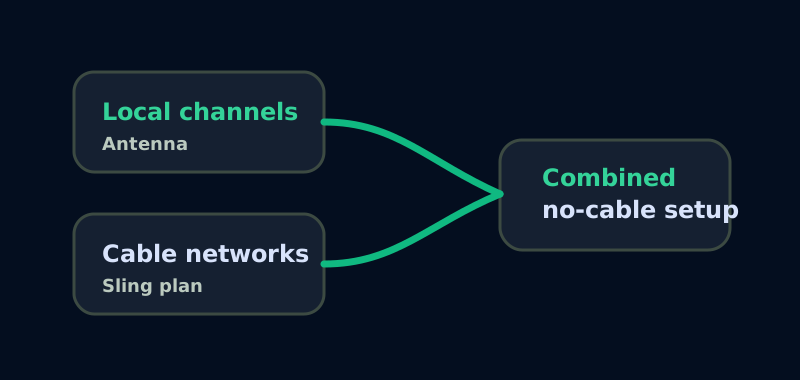
If local broadcasts are important, check what Sling offers in your area and whether an antenna can reliably receive the remaining stations before cancelling your current service.
Sling plus antenna path
When sports and regional coverage drive the choice
Fubo and DIRECTV Stream are worth comparing when sports coverage, regional networks, or cable-like plan depth matter more than finding the lowest base price. These services differ in channel lineups, regional sports access, DVR terms, fees, and home-network rules.
Do not choose from a generic channel count. Check your exact ZIP code and must-have channels, including regional sports networks and seasonal sports channels, because availability can vary by location and plan.
When Philo, an antenna, or on-demand apps are enough
A smaller setup may work when your live TV needs are narrow. Philo can be worth comparing for entertainment-focused households that do not need local stations or a broad sports lineup. An antenna may cover receivable local broadcasts, while selected on-demand apps can cover shows and movies without recreating a full cable package.
The key distinction is whether you need a live channel feed or only particular programs. An on-demand library is not a substitute for live news, live sports, or every show carried by a cable network.
CableQuit test scenarios: three households, three first comparisons
| Household | Must keep | Compare first | Reason |
|---|---|---|---|
| The live-sports household | ESPN, selected league or conference channels, locals, and multiple simultaneous streams | Compare YouTube TV, Sling packages, Fubo, and DIRECTV Stream | Sports coverage is plan-specific; the cheapest advertised base plan may require add-ons or still miss a network. |
| The entertainment household | Lifestyle and entertainment channels, few or no sports, shows watched later | Philo or on-demand apps before a broad live service | Paying for locals and sports may add cost without solving this household's actual viewing need. |
| The local-news household | Reliable ABC, CBS, NBC, FOX, or PBS reception plus a small number of cable channels | Test an antenna, then compare a smaller live or on-demand package | Locals may be covered without a recurring live-TV bill if reception is reliable. |
Scenarios reviewed August 20, 2026. These are decision patterns, not universal recommendations. Verify the exact lineup for your ZIP code and plan.
A repeatable way to compare any live TV service
Create a one-page comparison with four columns: required live channels, acceptable on-demand substitutes, local-station plan, and household features such as DVR and simultaneous streams. Mark a service as a candidate only after every must-have has a verified path. Then compare its regular monthly cost, not only a temporary promotion.
If a candidate misses one item, record the exact add-on or second service needed and include that cost. If the item remains unavailable, label it missing instead of assuming the household will not notice. This method often eliminates options quickly and makes the final choice easier to explain.
- Check the provider's current lineup using the home ZIP code.
- Verify seasonal sports channels before the season begins.
- Confirm stream limits against the household's busiest viewing time.
- Separate a promotion from the ongoing price used in the annual comparison.
- Test the chosen service before cancelling the current provider when possible.

Live TV service
YouTube TV
Best for: A broader cable-like replacement
Broad live TV, local-channel, and DVR positioning
Tradeoff: Often costs more than a smaller, tailored setup

Live TV service
Sling TV
Best for: A lower-cost, package-based live TV comparison
Flexible plan structure for narrower channel needs
Tradeoff: Locals, sports, add-ons, and stream limits need careful review

Live TV service
Hulu + Live TV
Best for: Live TV plus a bundled on-demand library
Broad live coverage paired with Hulu's entertainment library
Tradeoff: The bundle is most useful when the household values its included services

Live TV service
Fubo
Best for: Sports-forward households
Broad sports and local-channel positioning
Tradeoff: Fees and missing channels can materially change the fit

Live TV service
DIRECTV Stream
Best for: Cable-like plans and selected regional sports needs
Multiple package levels and regional coverage options
Tradeoff: The needed package may be among the more expensive choices

Live TV service
Philo
Best for: Entertainment and lifestyle channels at a lower cost
Focused entertainment lineup without sports pricing
Tradeoff: Does not replace locals, cable news, or major sports networks